How to Remove an Image Background in 3 Steps
Upload Your Image
Click Upload image, or drop a JPG, PNG, or WebP file on the page. You can also paste a picture you copied.
Remove the Background with AI
The tool picks out the subject and clears the area around it. Wait until the result appears. If you chose the wrong photo, press Cancel and start again.
Download Your Transparent PNG
Open Compare and slide across the photo before you save. PNG and WebP keep the cleared area see-through. JPG cannot, so a JPG is saved on the color you picked, or on white if the preview was left clear.
Why Use PixelThinks Background Remover?
You can remove a photo background without creating an account. The picture stays in this browser, and the file you save has no watermark.
- No signup required
- No watermark
- No daily limits
- The photo is not uploaded
- Free to use
Remove Backgrounds from Product Photos, Portraits and More
A shop photo, a headshot, and a picture for a post can all start here. Look at the edge before you use the file.
Product Photos
A product on a plain backdrop is the easy case. Pick white and download JPG when a listing wants a white background. Keep PNG when the page already has its own background. Shiny packaging and glass can keep a little of the old scene.
If the product is small in the frame, crop it first so the item fills more of the picture.
Portraits and Profile Pictures
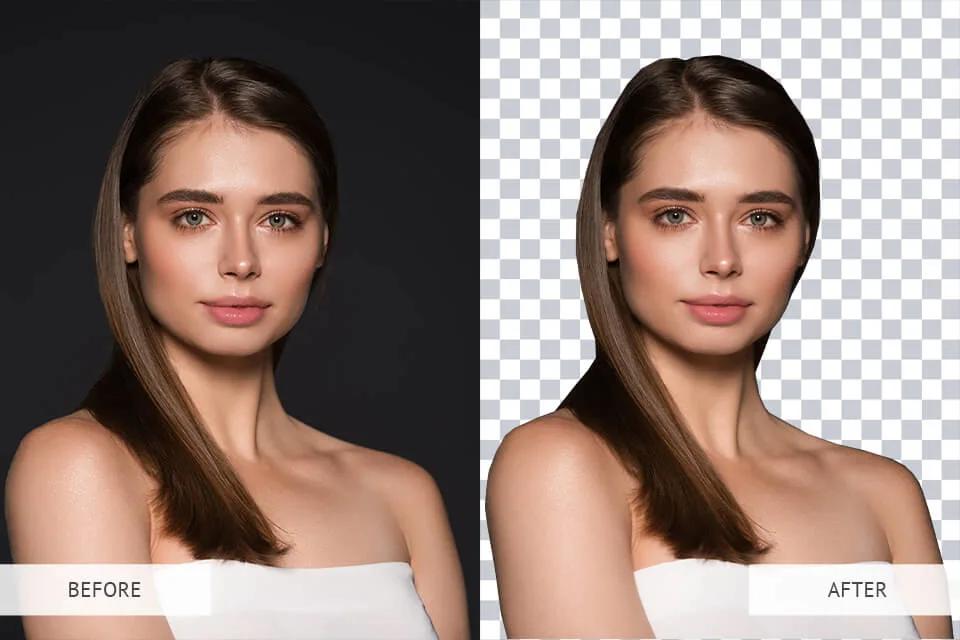
Headshots usually come out clean when the person is separate from the wall. Hair is the part to check. Open Compare and look along the outline before you download.
Tools for this step: Crop the photo before you remove the background
Background Removal Examples
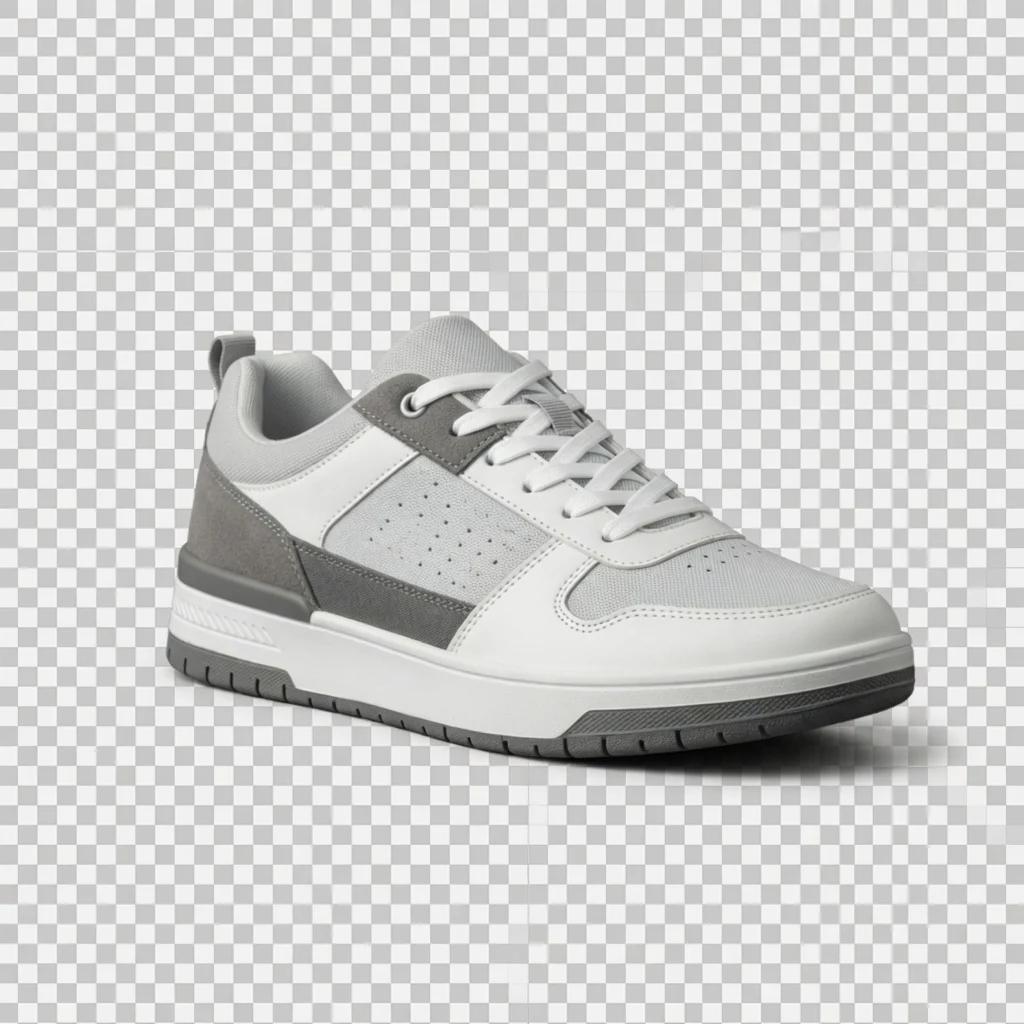
A cafe portrait, a sneaker, and a studio portrait. The checkerboard is the cleared background.

Make an Image Background Transparent
Download PNG, or WebP when this browser can save it. The area that was background stays clear, so you can put the picture on a website, a slide, or another photo. Put the file on a colored page to confirm that.
White in the preview is not saved into a PNG. To keep a white background, download JPG after you pick white. A transparent PNG can also be a large file. Compress it if the form or site has a size limit.
Tools for this step: Compress the image if the file is too large
Remove Backgrounds from JPG, PNG and WebP Images
Those three formats are the ones you can upload. The download keeps the same width and height as the photo you opened. It does not shrink the picture.
A photo larger than 16 megapixels is turned away. Resize that copy, then come back. If you only need a JPG turned into WebP, and you are not removing a background, use the converter.
Tools for this step: Resize an image that is too large · Convert a JPG to WebP
Refine Background Removal Around Hair and Edges
Hair, fur, and glass often keep a soft edge, or a little of the old color. That is common when the subject and the background are close in color. It does not mean the upload failed.
Open Compare and drag the line across the photo. If a fringe is left, crop closer and try again, or paint that spot yourself.
When AI Background Removal Needs Manual Editing
Click Manual touch up. Erase paints away background that is still there. Restore paints back a part of the person or product that was cleared by mistake. The brush size can be changed, and you can undo a stroke.
This is for small edges, not for rebuilding a whole photo. When the outline looks right, close the brush and download.
Frequently asked questions
Is PixelThinks Background Remover free?
Yes. You can remove backgrounds at no charge. There is no account to create and no daily limit.
Can I remove an image background without signing up?
Yes. Open the page and add a photo. There is no login step.
How do I make a PNG background transparent?
Add the photo, wait for the result, leave the format on PNG, and download. The cleared area stays see-through. WebP does the same when this browser can save it.
Can I change an image background to white?
Yes. Pick the white swatch under Background to preview it. Download JPG to save the subject on that white. PNG and WebP downloads stay transparent, even if the preview shows a color.
Does the background remover support JPG, PNG, and WebP?
Yes. You can upload JPG, PNG, or WebP, and download PNG, WebP, or JPG.
Does PixelThinks add a watermark?
No. The file you download has no watermark.
Are my images uploaded to a server?
No. The photo is handled in your browser. PixelThinks does not receive the picture.
Can I remove backgrounds from product photos?
Yes. A product on a plain backdrop is the usual case. Shiny packaging and glass can leave a bit of the old background, which you can paint away with the brush.
How do I fix hair or edges after background removal?
Open Compare and look along the outline. Then use Manual touch up. Erase clears leftover background. Restore puts back part of the subject that was removed.
Does background removal reduce image resolution?
No. The download keeps the same width and height as the photo you added. Hair and fur can still look a little soft. Photos larger than 16 megapixels need a smaller copy before they can be used.
Social Media Graphics
A transparent PNG lets you place a person or product on another graphic. If the app you are posting to wants a solid color, pick that color and download JPG.